Ever picked a Gemini model because it looked impressive on a benchmark, only to discover that it was too slow, too expensive, or unnecessarily powerful for your actual application?
Here's a question worth asking before you change another model ID: Does your application really need a more capable model, or does it need a better model-selection process?
Google's Gemini lineup evolves quickly. New versions arrive, pricing changes, and different models support different features. It's easy to get distracted by model names when the real engineering questions are much simpler.
My recommendation: start with Flash for well-defined, latency-sensitive tasks, then test Pro when your application genuinely needs stronger reasoning or more reliable performance on difficult examples.
That isn't a universal rule. It's a starting hypothesis you can test against your own workload.
This guide focuses on the selection decision itself. For implementation details, long-context testing, and tool integration, I've separated those subjects into dedicated guides.
ON THIS PAGE
The Five Questions That Should Drive Model Selection
Gemini Flash vs Pro: The Core Trade-Off
When Flash Is the Better Starting Point
When Pro Is Worth Considering
What About Context Windows, Multimodal Inputs, and Tools?
A Practical Model Evaluation Framework
Common Model-Selection Mistakes
Frequently Asked Questions
The Bottom Line
The Five Questions That Should Drive Model Selection
Before comparing individual Gemini models, I would define the workload.
These five questions usually reveal more than a long feature comparison:
Latency: How quickly must the user receive a useful response?
Context: How much information will a typical request include?
Reliability: What happens when the model produces an incorrect answer?
Cost: What is the acceptable cost per successful request?
Capabilities: Does the application require images, audio, structured output, or tool calling?
The order matters.
A model that performs exceptionally well on complex reasoning benchmarks may still be the wrong choice for a feature that classifies short messages thousands of times per hour.
Likewise, the cheapest model may become expensive if its output requires frequent retries or manual correction.
The goal isn't to find the strongest Gemini model. It's to find the least expensive model that reliably meets your application's requirements.
I would write those requirements down before running any comparison.
For example, a support-ticket classifier might need consistent categories, predictable response times, and low cost. A technical research assistant might place more value on difficult reasoning and accurate synthesis.
Those are different engineering problems, even if both use the Gemini API.
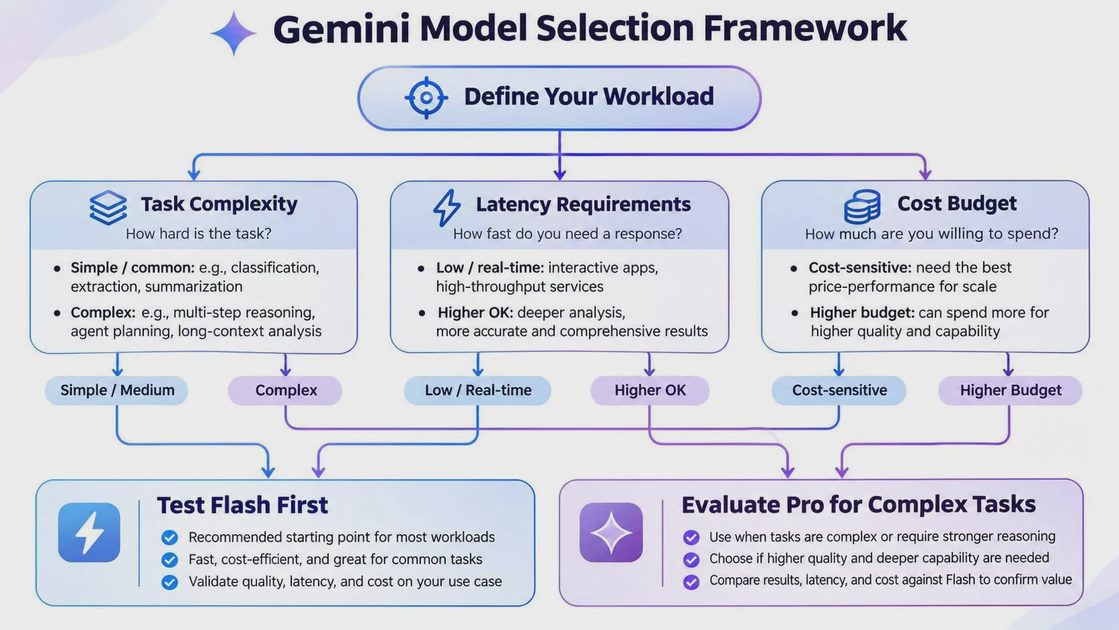
Gemini Flash vs Pro: The Core Trade-Off
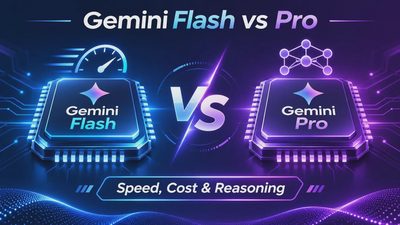
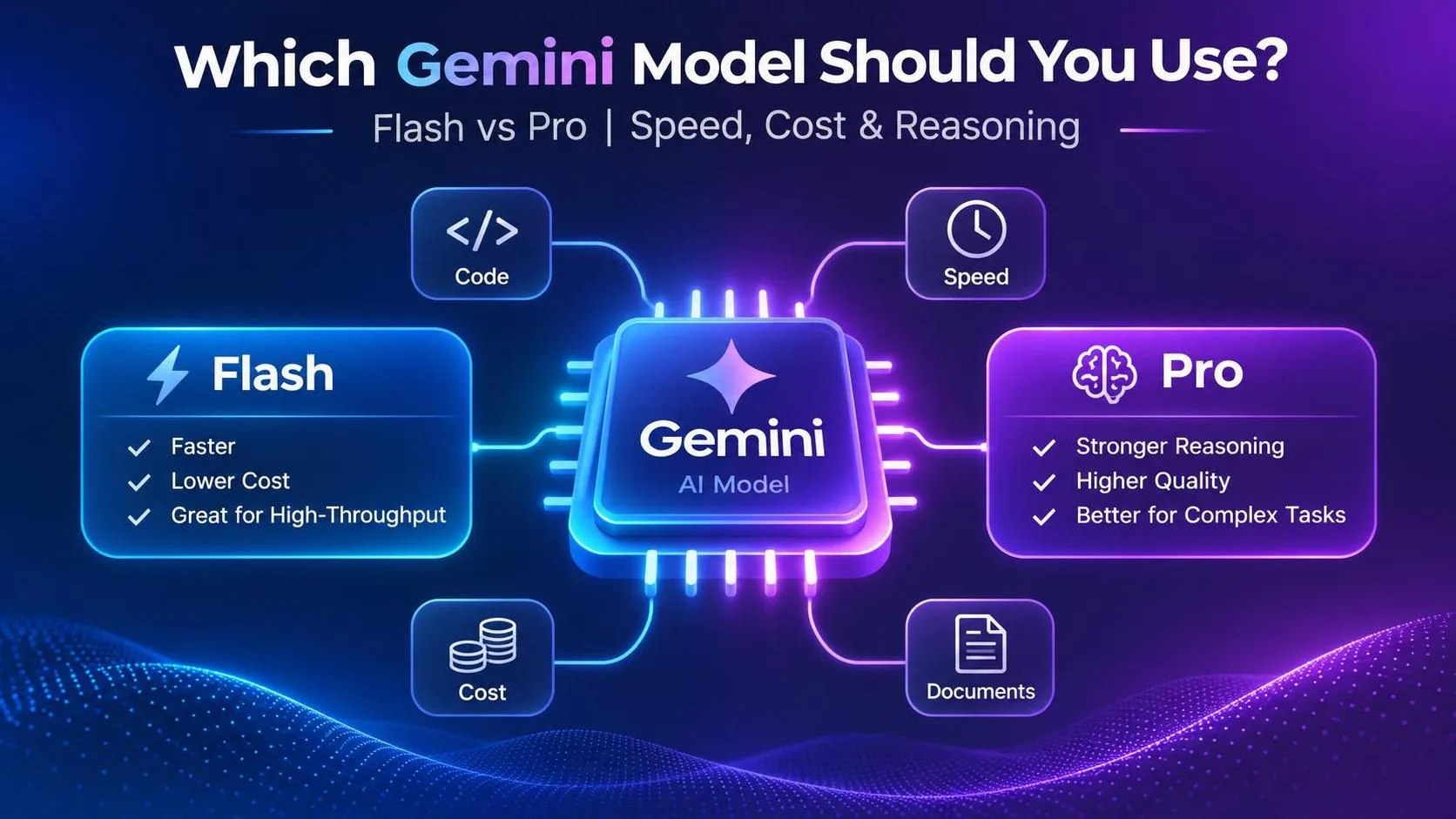
Flash and Pro represent different priorities within Google's Gemini model family.
Flash models generally emphasize efficiency and responsiveness. Pro models generally target more demanding tasks where additional reasoning capability can justify higher resource usage.
However, exact performance, supported features, context limits, and pricing depend on the specific model version.
Dimension | Gemini Flash | Gemini Pro |
|---|---|---|
Primary design priority | Speed and efficiency | More demanding reasoning workloads |
Typical use cases | Classification, extraction, short responses | Complex analysis, multi-step tasks |
Latency expectation | Often a stronger starting point for responsive applications | May involve greater latency |
Cost expectation | Often more economical | May cost more per request |
Complex reasoning | Evaluate against the task's quality threshold | Worth testing when Flash falls short |
Long-context quality | Must be measured at actual input lengths | Must also be measured; not automatically reliable |
Structured output | Depends on model version and schema | Depends on model version and schema |
This table describes broad selection tendencies, not measured results for a particular pair of model IDs.
I wouldn't choose a production model from this table alone.
Instead, I'd use it to decide which candidate to evaluate first.
When the Choice Isn't Obvious
Consider a customer-support summarizer.
Most tickets might be short and straightforward, making Flash an attractive option.
But a small percentage could involve complicated conversations, conflicting instructions, or multiple unresolved issues.
One possible architecture is to use Flash for routine cases and evaluate whether difficult cases benefit from Pro.
That routing decision should be based on actual error patterns and the cost of escalation, not on an assumption that every long ticket requires a larger model.
When Flash Is the Better Starting Point
Flash is often the first candidate I'd evaluate when the application needs to respond quickly and the task is clearly defined.
Examples include:
Classifying customer feedback into predefined categories.
Extracting structured fields from consistent document formats.
Producing short summaries of straightforward content.
Rewriting brief messages into a specified tone.
Routing user requests to a limited set of workflows.
The common feature is a relatively clear definition of success.
If you can specify the expected output and validate it automatically, you have a good starting point for testing a faster, more economical model.
For instance, imagine an application that extracts an order number, delivery date, and customer issue from incoming support messages.
You don't necessarily need extensive reasoning. You need accurate field extraction, predictable formatting, and acceptable response time.
I'd begin by evaluating Flash against representative examples, including incomplete messages and ambiguous dates.
If it meets the requirements, moving to Pro simply because Pro sounds more capable may add cost without meaningful user benefit.
But Flash isn't automatically sufficient for every structured task.
Complicated schemas, ambiguous source documents, and difficult tool decisions can still cause failures.
The evaluation results should determine whether the smaller model is enough.

When Pro Is Worth Considering
Pro becomes more interesting when the application needs to handle tasks that are difficult to specify or solve reliably.
Examples include:
Analyzing documents with conflicting evidence.
Working through multi-step technical problems.
Comparing several competing interpretations.
Producing detailed reasoning across multiple constraints.
Synthesizing complex material into a coherent recommendation.
The important distinction is not simply output length.
A short answer can require difficult reasoning. A long answer can be easy to generate.
I would consider Pro when Flash repeatedly fails on important cases, especially when those failures affect the quality of a downstream decision.
The Question I'd Ask Before Upgrading
What specific failure are we trying to eliminate?
If Flash produces incorrect structured fields, test whether Pro improves field accuracy.
If it misses requirements in complex instructions, evaluate constraint-following performance.
If the problem is excessive latency, switching to Pro may make things worse.
And if the problem is poor retrieval or missing source information, changing the model alone may not solve it.
A model upgrade should address a measurable problem.
Otherwise, you're paying for capability without knowing whether the application benefits.
What About Context Windows, Multimodal Inputs, and Tools?
These features matter, but each deserves its own evaluation.
For a model-selection overview, I use them as eligibility checks rather than turning this article into three separate implementation tutorials.
Context Windows: Capacity Isn't the Same as Accuracy
A large advertised context window tells you how much input a model can accept under specified conditions.
It doesn't guarantee that the model will use every detail accurately.
If your application handles long documents or conversation histories, verify the supported context limit for the exact model ID and test answer quality at realistic input lengths.
That guide should cover context-length testing, information retrieval from long prompts, failure analysis, and practical context-reduction strategies.
Multimodal Support: Check the Exact Model
If your application processes images, audio, video, or documents, confirm that the specific model and API surface support the required input and output capabilities.
Don't assume that every model in the same family exposes identical functionality.
Tool Calling: Test the Workflow, Not Just the Model
Function calling introduces reliability requirements beyond generating plausible text.
Your application must handle tool selection, argument validation, execution failures, and responses from external systems.
For model selection, the main question is whether the candidate can reliably produce valid and appropriate tool calls for your workflow.
These three subjects affect model selection, but they shouldn't turn a Flash-versus-Pro comparison into a complete API engineering handbook.
A Practical Model Evaluation Framework
When two models look reasonable on paper, I prefer a small, repeatable evaluation over a long debate about benchmarks.
You don't need a complicated evaluation platform to begin.
Step 1: Choose a Representative Test Set
Collect examples that reflect the workload your application will actually receive.
A set of 50–100 examples can be a practical starting point for exploratory testing, although the appropriate sample size depends on task variability and the confidence you need.
Include both ordinary requests and difficult cases.
If your application handles structured extraction, include incomplete, ambiguous, and unusually formatted inputs.
If it handles reasoning, include problems with multiple constraints and opportunities for unsupported conclusions.
Step 2: Define Success Before Running the Models
Choose metrics that match the application.
Metric | What It Answers | Example |
|---|---|---|
Task accuracy | Did the model complete the task correctly? | Correct extracted fields |
Format compliance | Did the response match the required structure? | Valid JSON matching the schema |
p95 latency | How slow are the slower requests? | Response-time distribution |
Cost per successful request | What does usable output actually cost? | API spend divided by successful requests |
Failure rate | How often does the output need correction or retry? | Invalid or unacceptable responses |
I particularly like cost per successful request because token pricing alone can be misleading.
A cheaper model that requires frequent retries may not be the cheaper production choice.
Step 3: Compare Flash and Pro Under Similar Conditions
Use the same prompts, representative inputs, output requirements, and evaluation criteria.
Record the exact model identifiers and test date.
Avoid changing the prompt dramatically for one model while keeping the other unchanged, unless prompt optimization is explicitly part of the experiment.
Step 4: Make the Decision Based on Requirements
Suppose Flash meets the accuracy target and stays within the latency budget.
In that case, Pro needs to deliver a meaningful additional benefit to justify its higher expected cost.
If Flash misses critical cases while Pro handles them more reliably, the extra cost may be justified.
A third option is routing only difficult requests to Pro, provided the routing logic itself is reliable.
This is a proposed evaluation method, not a claim that the models have already been tested on a particular dataset.
Common Model-Selection Mistakes
Choosing From Benchmark Rankings Alone
Public benchmarks are useful signals, but they may not reflect your prompts, input distribution, or acceptable error rate.
Use them to shortlist candidates, not to make the final production decision.
Assuming Pro Is Always Better
Pro may provide additional capability on difficult tasks, but that doesn't guarantee a better result for every request.
A well-defined classification workflow may not benefit enough to justify the difference.
Assuming Flash Is Always Cheaper in Practice
Lower token prices don't automatically mean lower operating costs.
Retries, unnecessary output, and failure handling can change the economics.
Comparing Model Families Instead of Model IDs
"Flash" and "Pro" are broad labels.
Production decisions should use exact model identifiers, documented capabilities, and current pricing.
Ignoring Future Model Changes
A model that works today may later be replaced, deprecated, or become less suitable for your workload.
Record the model version and maintain a fallback or migration plan.
Frequently Asked Questions
Is Gemini Flash better than Gemini Pro?
Neither is universally better. Flash is often a useful starting point for speed-sensitive, well-defined tasks, while Pro is worth evaluating for more demanding reasoning workloads. The right choice depends on your measured requirements.
Is Gemini Flash cheaper than Pro?
Flash variants are generally positioned as more economical, but actual costs depend on the exact model, current pricing, token usage, and request behavior.
Should I use Pro for long documents?
Not automatically. First verify the model's context limits and test whether it can reliably answer questions using your actual documents. Long-context capacity and long-context accuracy are different concerns.
Can Gemini Flash handle function calling?
Function-calling support depends on the exact model and API configuration. Check the current documentation and evaluate tool-call accuracy before relying on it in production.
Can I use Flash and Pro in the same application?
Yes, a multi-model architecture is possible when supported by your integration. You can route routine requests to one model and more demanding cases to another, but the routing system should be evaluated for accuracy, latency, and cost.
The Bottom Line
The most useful Gemini comparison isn't a list of model specifications.
It's a decision about your application's actual requirements.
Start with Flash when the task is well-defined and responsiveness matters. Test Pro when you can identify a concrete quality problem that additional capability might solve.
Then measure both against realistic inputs.
If you're deciding which model to use, this overview should be enough to build your shortlist. Once you've selected a candidate, move into the dedicated guides for context evaluation, multimodal integration, function calling, and cost benchmarking.
The best model isn't necessarily the most powerful one. It's the one that consistently does the job within your constraints.
I prefer decisions I can measure over model names I can admire.