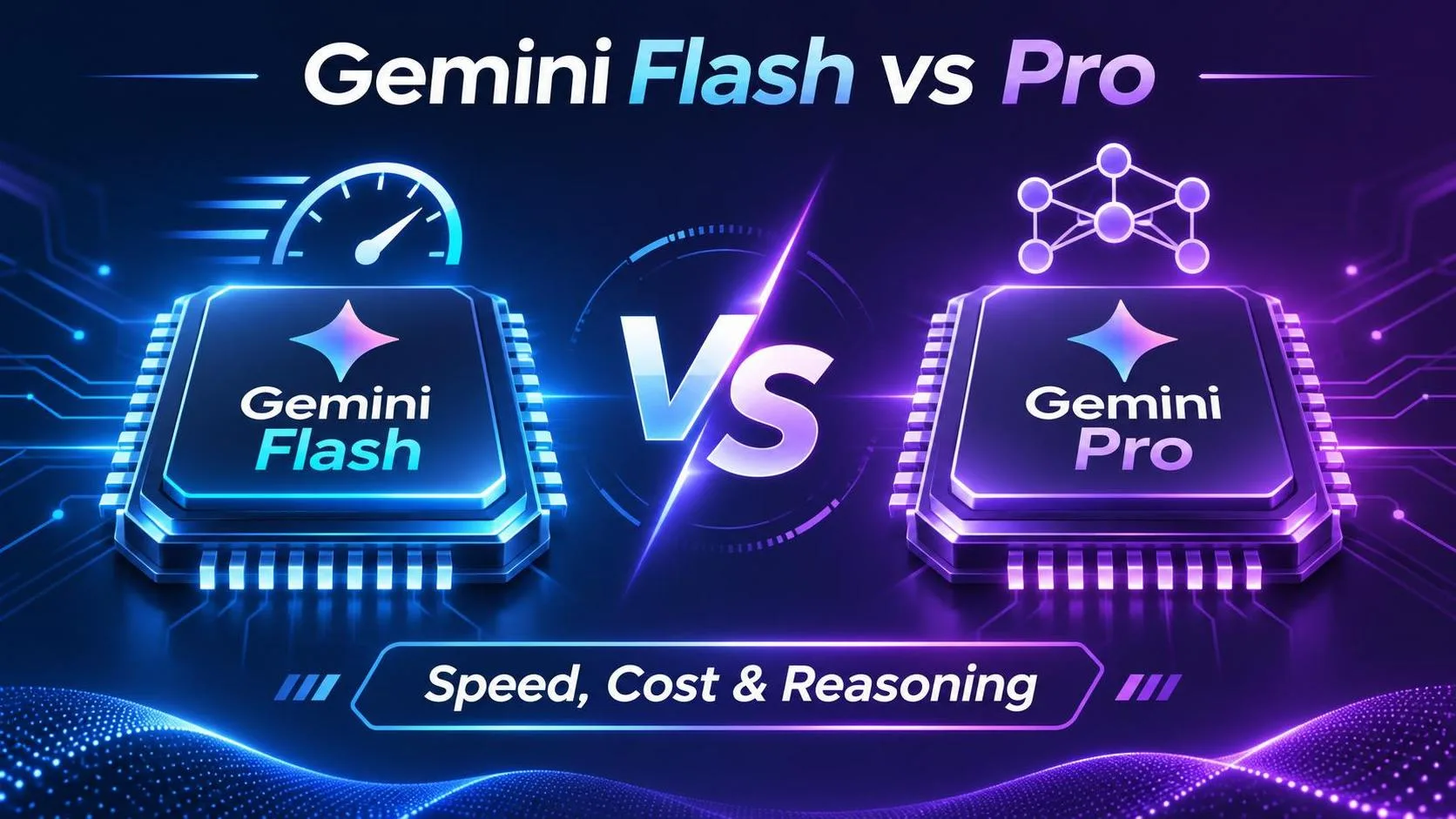
Gemini Flash vs Pro isn't simply a choice between a fast model and a smart model. The real question is whether the additional capability of Pro improves your application's results enough to justify its cost and latency.
For routine classification, short summaries, and predictable extraction tasks, Flash is usually my first candidate. For complex reasoning, conflicting evidence, and multi-step analysis, I would test Pro alongside it.
But I wouldn't choose either model based on its name alone.
A model that costs less per request can become more expensive if it needs repeated retries. A more capable model can also be unnecessary when a smaller one already meets the required accuracy threshold.
This article focuses on the practical Flash-versus-Pro decision: how to compare performance, calculate the cost of successful outputs, and identify the workloads where additional reasoning capability actually matters.
For a broader introduction to Google's model families and their use cases, see our Gemini model selection guide.
ON THIS PAGE
Gemini Flash vs Pro: Quick Comparison
When Gemini Flash Is the Better Choice
When Gemini Pro Is Worth Testing
Speed vs Accuracy: What Should You Measure?
Comparing Real Costs Instead of Token Prices
A Five-Step Flash vs Pro Evaluation
Can You Use Both Models in One Application?
Frequently Asked Questions
Gemini Flash vs Pro: Quick Comparison
The first thing I look at is the application's tolerance for errors, delays, and additional cost.
Here is the decision framework I would use before testing specific model versions.
Factor | Start With Flash | Evaluate Pro |
|---|---|---|
Latency | Interactive, responsive tasks | Tasks where additional processing time is acceptable |
Cost | High-volume, cost-sensitive workloads | Lower-volume, quality-sensitive workloads |
Reasoning | Bounded or predictable tasks | Complex, ambiguous, multi-step tasks |
Data extraction | Clearly defined fields | Conflicting or incomplete source material |
Structured output | Well-defined schemas | Complex interpretation before generating structured data |
Human review | Low-cost, easily checked outputs | Outputs where reducing correction effort matters |
Typical workload | Classification, routing, short summaries | Complex analysis, synthesis, planning |
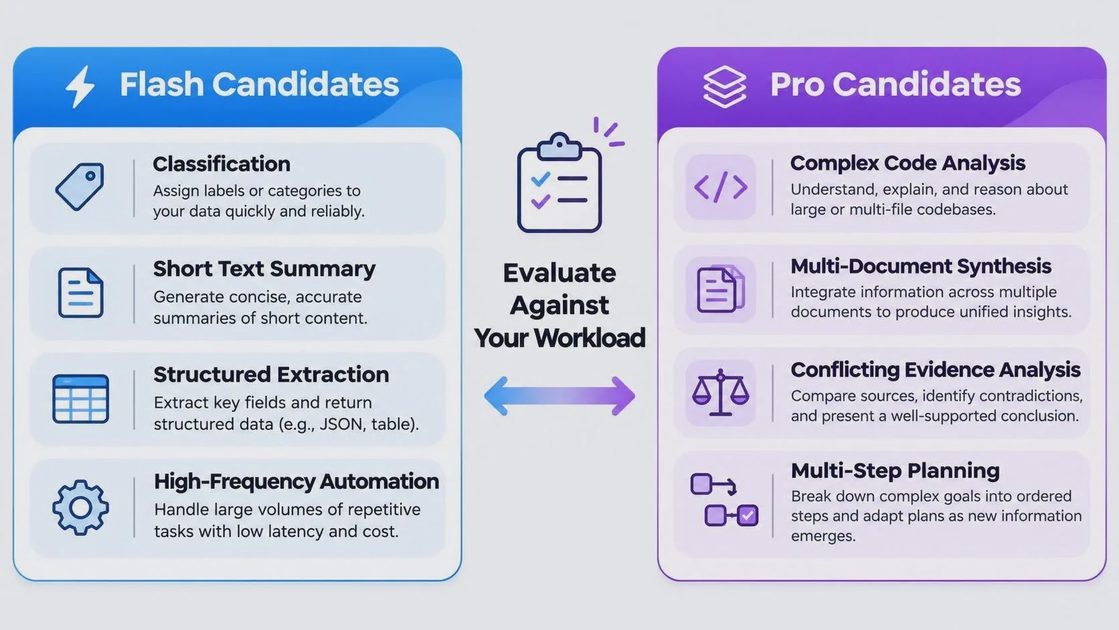
These are starting assumptions rather than guaranteed performance differences.
The exact model generation matters. A newer Flash model may outperform an older Pro model on certain tasks, and pricing or availability may differ.
For this reason, a fair comparison should use two specific, currently supported model identifiers and record the test date.
The Decision Rule I Actually Use
I start with a simple question:
Can Flash meet the minimum quality requirement on representative tasks?
If yes, I compare latency and cost before considering Pro.
If no, I test whether Pro fixes the specific failures.
This prevents a common mistake: upgrading to a more expensive model without identifying which problems the upgrade is supposed to solve.
When Gemini Flash Is the Better Choice
Flash is a strong starting candidate when a task has clear boundaries and predictable output requirements.
The best examples are applications where the model performs the same type of operation repeatedly.
1. Classification and Routing
Imagine a customer support system that sorts incoming messages into categories:
Billing
Technical support
Account access
Product questions
The output is short and constrained.
A more capable reasoning model may not provide enough additional value to justify its cost if Flash already classifies messages accurately.
What I would measure is not how impressive the explanation sounds, but whether the category is correct.
2. Structured Data Extraction
Consider extracting invoice numbers, dates, and totals from documents.
If the source documents follow consistent layouts, Flash may be sufficient.
I would evaluate it using field-level accuracy and schema validation.
However, documents with ambiguous tables, conflicting totals, or unusual layouts can change the decision.
The model should be selected based on the actual document distribution rather than a few clean examples.
3. High-Volume Automation
For a workflow processing thousands of requests, small differences in cost and latency become significant.
Flash is worth testing first when the application needs to process large volumes of relatively straightforward inputs.
But the lower-cost model only wins if its failure and retry rates remain acceptable.
My rule: choose Flash when it meets the required quality threshold, not merely because its advertised price is lower.
When Gemini Pro Is Worth Testing
Pro becomes a stronger candidate when the application needs to reason across multiple constraints or interpret information that is incomplete or contradictory.
The important distinction is task complexity, not simply prompt length.
1. Multi-Document Analysis
Imagine an application comparing several business reports.
One report contains revenue figures, another explains operational changes, and a third provides conflicting forecasts.
The model must identify relationships and distinguish supported conclusions from assumptions.
I would compare Flash and Pro using questions that require combining evidence across documents.
The evaluation should check whether each conclusion is supported, rather than rewarding longer or more confident answers.
2. Complex Coding Tasks
For simple code transformations, Flash may be enough.
For debugging across multiple files or refactoring code with architectural constraints, Pro is worth evaluating.
I would use real repository tasks and measure:
Test pass rate
Correctness of the proposed fix
Number of developer corrections
Total time to reach an accepted solution
A longer answer is not necessarily a better answer.
The best model is the one that produces correct, maintainable changes with less total effort.
3. Ambiguous or Incomplete Instructions
Some production inputs cannot be made perfectly clean.
A user may provide incomplete requirements, conflicting instructions, or poorly structured notes.
In these cases, Pro's positioning toward more demanding reasoning makes it a reasonable candidate.
However, I would test whether it actually reduces errors on ambiguous cases.
I would not assume that a Pro model automatically handles every unclear prompt better than Flash.
Speed vs Accuracy: What Should You Measure?
The Flash-versus-Pro comparison becomes much more useful when speed and accuracy are measured together.
Looking only at average response time can hide important differences.
Measure p50 and p95 Latency
The median response time, or p50, describes a typical request.
The p95 latency shows how long slower requests take.
For an interactive application, p95 can be especially important because users notice inconsistent response times.
I would record both metrics across repeated requests under comparable conditions.
Measure Task Success Rate
Accuracy should be defined according to the task.
For classification, use the percentage of correctly classified examples.
For structured extraction, measure whether required fields contain correct values.
For coding, use tests and manual verification.
For reasoning tasks, use a documented evaluation rubric with evidence checks.
Avoid relying entirely on subjective impressions such as "Pro feels smarter."
Compare Performance on Difficult Inputs
I would deliberately include examples with:
Missing information
Contradictory statements
Long or noisy inputs
Unusual formatting
Multiple dependent requirements
Easy examples may make two models look almost identical.
Difficult examples reveal whether additional capability produces a meaningful improvement.
Comparing Real Costs Instead of Token Prices
Token pricing matters, but it is only one part of the operating cost.
The more useful metric is the cost of producing a successful result.
Calculate Cost per Successful Task
Consider a hypothetical workload of 1,000 requests.
Metric | Flash scenario | Pro scenario |
|---|---|---|
Initial request cost | $2.00 | $6.00 |
Successful tasks | 900 | 970 |
Retry and correction cost | $1.00 | $0.50 |
Total measured cost | $3.00 | $6.50 |
Cost per successful task | $0.0033 | $0.0067 |
Illustrative numbers only. These are not current Gemini API prices or measured benchmark results.
In this example, Flash remains less expensive per successful task.
However, that does not automatically make it the correct choice.
If the 100 failed Flash tasks involve important business decisions, the additional accuracy of Pro may justify its cost.
For lower-risk tasks, the cheaper option may be preferable.
Include Human Correction Costs
For applications where employees review model output, correction time can dominate API costs.
I would measure how often a response needs manual editing and how long that editing takes.
For example, a model that saves a reviewer two minutes per task could be worth substantially more than the difference in API charges.
The decision should consider the entire workflow, not just the API invoice.
For a broader breakdown of token pricing, usage tiers, and budgeting, see the Gemini API pricing comparison.
A Five-Step Flash vs Pro Evaluation
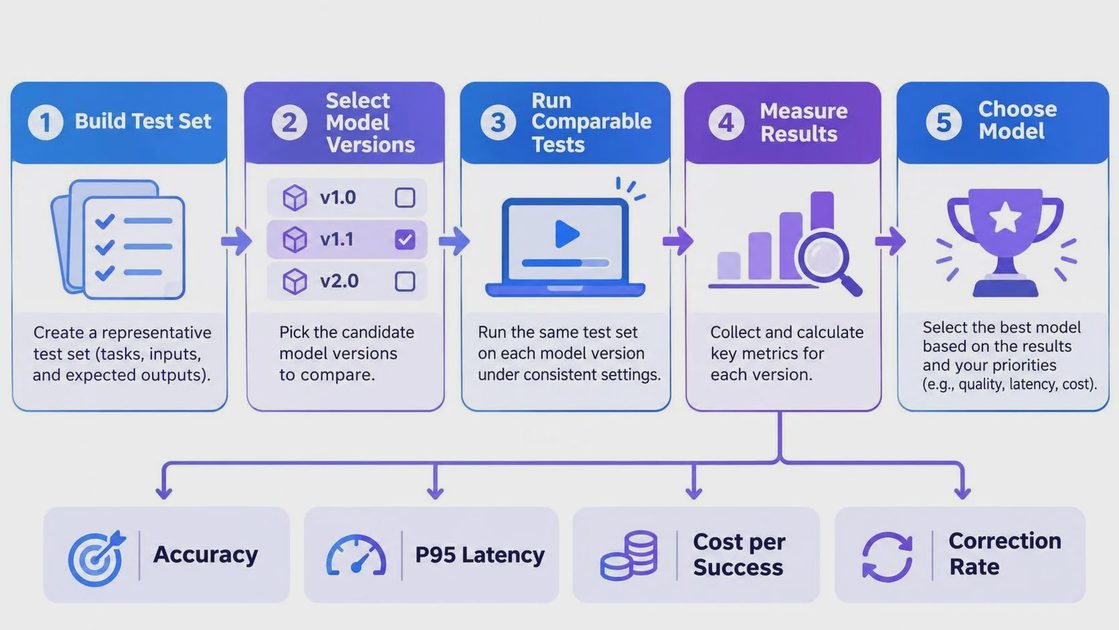
You don't need an expensive benchmarking platform to make an informed choice.
A small, repeatable test can provide useful evidence.
Step 1: Build a Representative Evaluation Set
Start with 20–50 real examples if that is what your project can support.
Include ordinary inputs and difficult edge cases.
For more reliable estimates, expand the dataset as additional examples become available.
Keep the evaluation data separate from examples used to refine your prompts.
Step 2: Choose Specific Model Versions
Record the exact Flash and Pro model identifiers.
Do not compare models using family names alone.
Also record the test date, API configuration, and any relevant generation settings.
This matters because models and default behavior can change.
Step 3: Run Comparable Requests
Use the same task inputs and equivalent instructions for both models.
Keep generation settings consistent where supported.
If the models require different configurations, document the differences rather than hiding them.
Step 4: Score the Results
Use a simple evaluation sheet.
Metric | Flash result | Pro result |
|---|---|---|
Task success rate | Record result | Record result |
p50 latency | Record result | Record result |
p95 latency | Record result | Record result |
Average tokens per task | Record result | Record result |
Cost per successful task | Calculate | Calculate |
Manual correction rate | Record result | Record result |
Don't fill this table with estimates presented as measurements.
Run the evaluation and record the actual results.
Step 5: Make the Decision
If Flash meets the required quality threshold, compare its cost and latency against Pro.
If Flash fails, determine whether Pro resolves the important failures.
If neither model meets the requirement, reconsider the prompt, workflow, retrieval strategy, or evaluation assumptions.
I would save the evaluation dataset and rerun it after major model or pricing changes.
This turns model selection into a repeatable engineering process instead of a one-time opinion.
Can You Use Both Models in One Application?
Yes. A single application can use different models for different tasks.
For example, a support platform might use Flash for ticket classification and Pro for complex escalation analysis.
The application does not need to force every request through the same model.
A Simple Hybrid Strategy
A practical routing approach could work like this:
Send predictable, low-risk tasks to Flash.
Validate the output against task requirements.
Route selected failures or complex cases to Pro.
Record whether escalation improves the result.
However, the escalation itself has a cost.
A two-model workflow may introduce additional latency, implementation complexity, and failure points.
I would only keep the hybrid design if testing shows that it improves overall quality or cost efficiency.
For broader model selection across coding, multimodal processing, and long-context applications, return to the Gemini model selection guide.
Frequently Asked Questions
Is Gemini Flash faster than Pro?
Flash models are generally positioned for speed and efficiency, but actual latency depends on the model version, input size, output length, and workload. Benchmark the exact models you plan to use.
Is Gemini Pro more accurate than Flash?
Pro is designed for more demanding tasks, but accuracy depends on the specific workload. Compare both models using representative examples and clear success criteria.
Which is cheaper, Gemini Flash or Pro?
Flash is generally positioned as the lower-cost option within comparable model generations. Check current pricing and calculate cost per successful task before making a production decision.
Should I use Flash or Pro for coding?
Start with the task requirements. Flash may be sufficient for simple transformations, while Pro is worth evaluating for complex debugging and multi-file reasoning.
Can I switch between Flash and Pro later?
In many applications, switching supported model identifiers is relatively straightforward. However, prompts, outputs, tool behavior, and performance should be regression-tested before deployment.
Should I always start with Flash?
Flash is a practical starting candidate for many cost-sensitive tasks. For high-risk or reasoning-intensive workflows, evaluating both models from the beginning may be more appropriate.
Final Thoughts
The best way to choose between Gemini Flash and Pro is to stop treating the decision as a permanent ranking.
Flash is a reasonable first candidate for predictable, high-volume workloads. Pro is worth evaluating when complex reasoning or lower correction effort matters more than raw request cost.
What decides the winner is the measured result.
My preferred process is to test both models on representative tasks, calculate cost per successful output, examine difficult failures, and keep the evaluation dataset for future updates.
Choose the model that meets your quality requirements at an acceptable total cost—not simply the one with the better reputation.
I tried the measurement-first approach because it makes model upgrades easier to justify. You can use the same five-step process even when Google's available models change.