“I tried it first. You can just copy.”
When building AI applications and automated workflows, you face the exact same trade-off every single day: how do you balance reasoning depth, latency, and API costs without breaking your stack?
For the past few months, many developers have leaned heavily on 3.8 Flash for everyday coding assistance and high-frequency agent loops. It was fast and affordable, but once you pushed it into multi-step tool calling or cross-file code refactoring, you had to break tasks down into tiny pieces to keep it from dropping the ball.
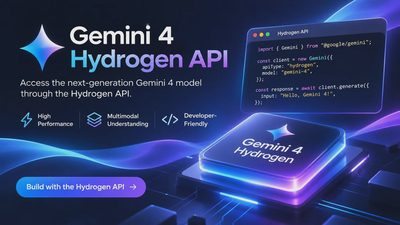
On November 12, Google DeepMind officially introduced Gemini 4 Hydrogen. In the release announcement, Google laid out a very specific value proposition:
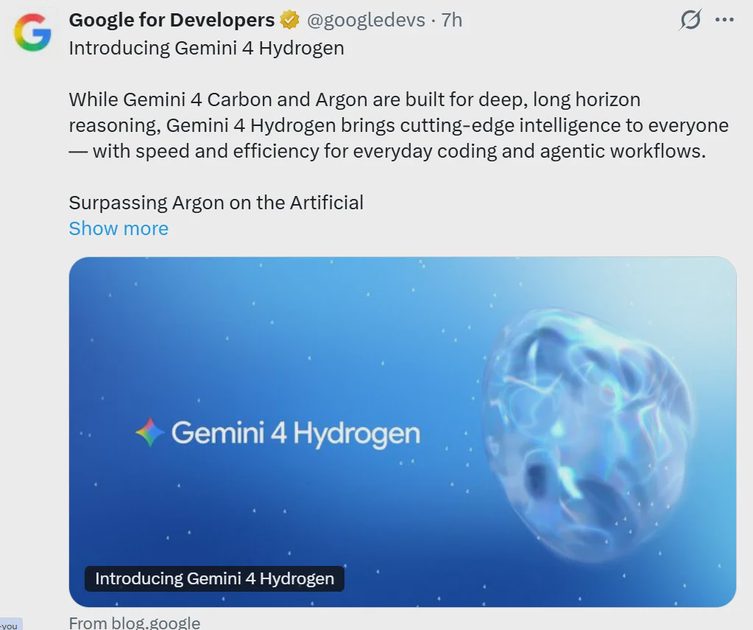
Purpose-built for everyday coding and agentic work;
2.5X faster than 3.8 Flash;
Configurable across 4 thinking levels;
Capable of standing on its own or teaming up with Carbon and Argon.
Launch graphics always look sharp, but marketing copy doesn't ship production code. To see how it actually holds up, I spun up a clean test project (free of any legacy local config baggage) and migrated a few of my daily code-review scripts and automated agent pipelines over to Hydrogen. Here are my field notes and the minimal working Python setup.
Table of Contents
Architecture Breakdown: Hydrogen, Carbon, and Argon
Hands-On Testing: The 2.5X Speedup & Choosing Between 4 Thinking Levels
Quickstart: Calling the Gemini 4 Hydrogen API in Python
Field Notes: Where It Shines and Where It Trips Up
Summary: What Worked / What Failed / Production Takeaways
1. Architecture Breakdown: Hydrogen, Carbon, and Argon
With the Gemini 4 lineup, Google has shifted toward a periodic-table tiering system designed around distinct workload roles:
Gemini 4 Hydrogen (The High-Speed Workhorse): Designed to succeed and outpace the Flash tier.
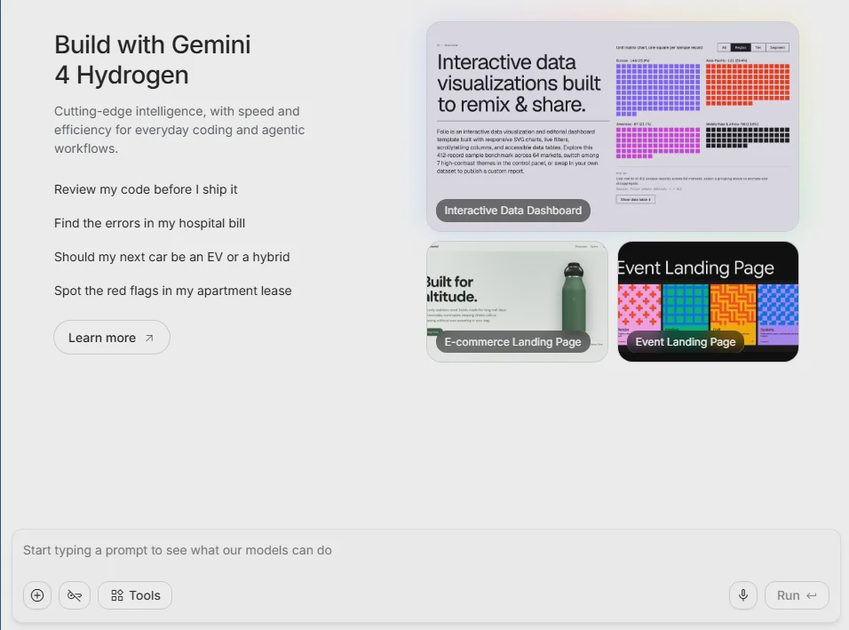
Its core mandate is high throughput and low latency, handling everyday code completion, unit test generation, structured data extraction, and rapid-fire agent sub-tasks.Carbon & Argon (Heavy Reasoning & Multi-Agent Teaming): According to Google’s architecture notes, Hydrogen isn't just a standalone model. When a workflow hits complex system-level refactoring or long-horizon planning, Hydrogen can act as a fast front-line router or worker agent, teaming up with heavier models like Carbon and Argon for multi-agent orchestration.
Engineering Takeaway: This tiered orchestration approach is deeply practical. You shouldn't burn heavy compute on routine API status checks or JSON schema formatting. Letting Hydrogen absorb 80% of your high-frequency daily load while escalating the hardest 20% to Carbon or Argon is the cleanest way to keep both latency and token spend under control.
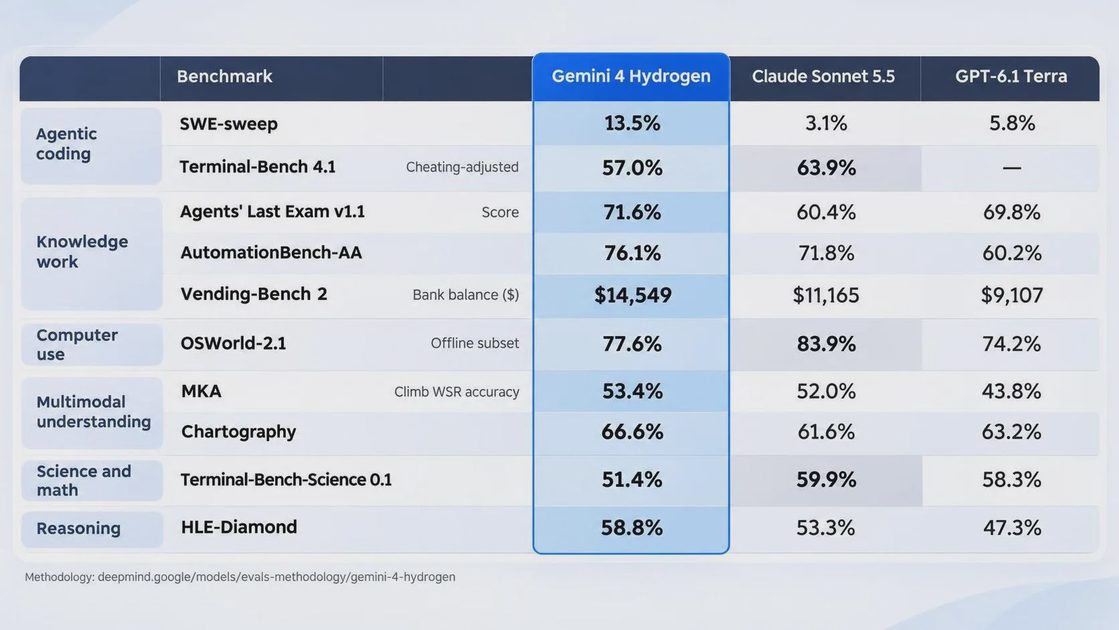
2. Hands-On Testing: The 2.5X Speedup & Choosing Between 4 Thinking Levels
The most immediate difference in day-to-day testing is time-to-first-token (TTFT) and overall generation throughput. Compared against a 3.8 Flash baseline, Hydrogen delivers on its 2.5X speed increase—a 150-line async Python script that used to take around three seconds to stream now lands in my terminal in just over a second.
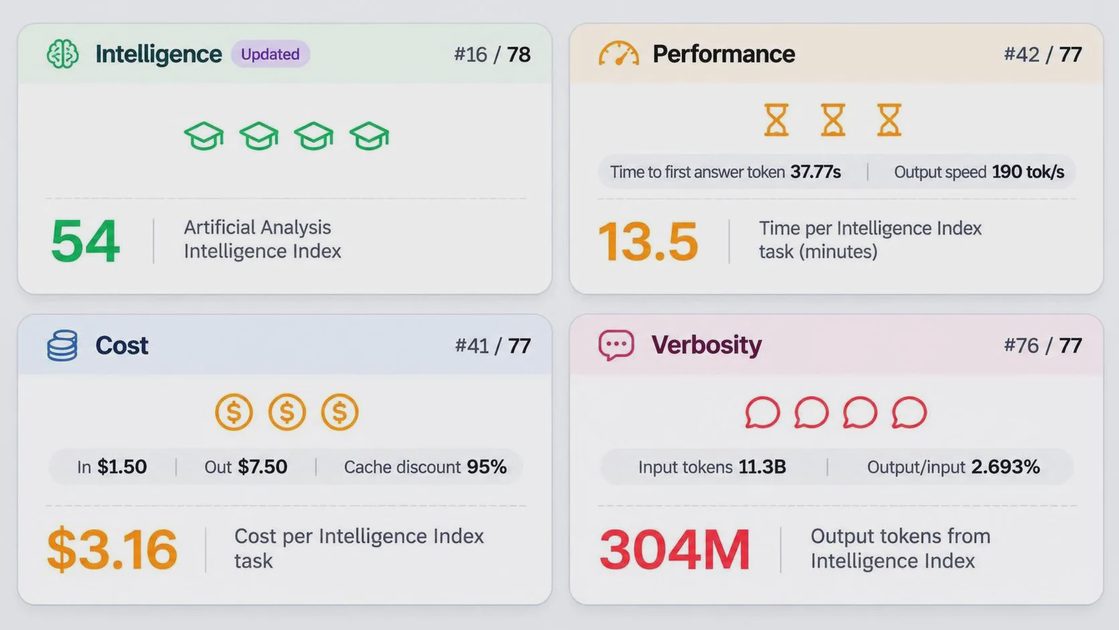
What separates Hydrogen from a standard "fast" model, however, is native control across 4 thinking levels. Instead of stuffing prompts with "Let's think step by step" hacks to force reasoning, you can explicitly dial the model's thinking budget via API parameters:
Thinking Level | Perceived Latency | Best Use Cases | Hands-On Evaluation |
Level 1 (Minimal / Instant) | Near-instant (sub-second) | Simple regex extraction, log triage, basic syntax completion | Almost zero reasoning overhead; built for high-concurrency pipelines. |
Level 2 (Low / Standard) | Very fast (~1s) | Everyday function writing, standard SQL queries, single-turn API calls | Default sweet spot for daily coding, balancing speed and accuracy. |
Level 3 (Medium / Analytical) | Moderate (1.5s – 3s) | Multi-file bug hunting, multi-step tool calling plans | Validates edge cases before outputting; noticeably higher first-pass accuracy. |
Level 4 (High / Deep) | Slower (3s+) | Cross-module logic deduction, complex agent state-machine routing | Approaches heavyweight flagship reasoning; ideal as a task-decomposition hub. |
3. Quickstart: Calling the Gemini 4 Hydrogen API in Python
“Here’s the smallest version that works.”
Whether you are building through Google AI Studio or scaling up via Vertex AI and the Gemini Enterprise Agent Platform, you can use the unified google-genai SDK.
Step 1: Install the SDK and Set Your Environment Variable
Make sure you have the latest SDK installed and export your API key properly (never hardcode keys directly into your repository):
Bash
pip install -U google-genai
export GEMINI_API_KEY="your_actual_api_key_here"
Step 2: Minimal Working Example (Configuring Thinking Levels for Coding)
Here is a complete, runnable Python script showing how to call gemini-4-hydrogen and control its reasoning depth using thinking_config:
Python
import os
from google import genai
from google.genai import types

# Initialize the client (automatically reads GEMINI_API_KEY from environment)
client = genai.Client()

def run_coding_agent(prompt: str, thinking_level: str = "MEDIUM"):
    """
    Calls Gemini 4 Hydrogen for everyday coding and agentic reasoning tasks.
    thinking_level options: MINIMAL, LOW, MEDIUM, HIGH (maps to the 4 thinking levels).
    """
    response = client.models.generate_content(
        model="gemini-4-hydrogen",
        contents=prompt,
        config=types.GenerateContentConfig(
            system_instruction=(
                "You are a pragmatic senior Python backend engineer. "
                "Output clean, production-ready code with concise error handling."
            ),
            # Configure the specific tier across the 4 thinking levels
            thinking_config=types.ThinkingConfig(
                thinking_level=thinking_level
            ),
            temperature=0.2,  # Keep temperature low for deterministic code & agent outputs
        ),
    )

    print(f"--- [Thinking Level: {thinking_level}] ---")
    print(response.text)

if __name__ == "__main__":
    sample_task = (
        "Write an async Python function using httpx that fetches user data from an API "
        "with exponential backoff retry logic (max 3 retries) for HTTP 429 and 503 errors."
    )
    run_coding_agent(sample_task, thinking_level="MEDIUM")
Step 3: Teaming Up with Carbon or Argon in Agent Workflows
When building multi-agent systems, you can deploy Hydrogen as your front-line router agent. Once a task's complexity crosses a predefined threshold, your application can hand off the context to Carbon or Argon:
Python
# Conceptual pattern: Dynamic model routing based on task complexity
def route_agent_task(task_complexity_score: int, payload: str):
    if task_complexity_score <= 7:
        # 80% of everyday coding and tool calls stay on Hydrogen for maximum speed
        target_model = "gemini-4-hydrogen"
    else:
        # 20% of heavy architectural reasoning escalates to Carbon
        target_model = "gemini-4-carbon"

    return client.models.generate_content(
        model=target_model,
        contents=payload
    )
4. Field Notes: Where It Shines and Where It Trips Up
“The demo is easy. The edge cases are the real tutorial.”
After wiring Hydrogen into actual test scripts, three practical engineering details stood out:
Multi-step Function Calling is noticeably steadier:
In chained tool-use tests (e.g., inspecting a database schema $\rightarrow$ generating a SQL query $\rightarrow$ formatting the output into a Markdown report), setting the model to
Level 3eliminated parameter-type hallucinations while cutting end-to-end execution time in half compared to my previous setup.Don't default every endpoint to
Level 4:Early in testing, I locked every request to the highest thinking level. For straightforward tasks like JSON field mapping,
Level 4actually triggered "overthinking"—the model spent extra cycles second-guessing trivial logic, pushing latency from 0.8 seconds to nearly 4 seconds with zero improvement in output quality.Boundaries on massive, unfiltered codebase edits:
Even with its speed advantage, dumping dozens of uncurated source files into a single prompt and asking for a global dependency refactor can still result in missed edge-file references. For sprawling repository-wide changes, breaking the job into smaller loops or escalating to Carbon / Argon remains the safer engineering pattern.
5. Summary: Production Takeaways
Following the standard Gemini Build Lab checklist, here is the bottom line for shipping with Gemini 4 Hydrogen:
What worked:
Drop-in replacement for existing
3.8 Flashpipelines—the 2.5X speed boost makes a massive difference in automated PR summaries, CI/CD checks, and interactive coding assistants.The 4 thinking levels give developers real control: use
Level 1for fast extraction,Level 2for daily coding, andLevel 3for multi-step agent planning.
What failed:
Forcing
Level 4on simple, deterministic tasks cancels out Hydrogen's core speed advantage.Relying on a single lightweight pass for massive cross-repository refactoring still requires careful chunking or multi-agent escalation to Carbon or Argon.
What I would change in production:
Build a lightweight dynamic thinking-level router at your API gateway layer. Automatically toggling between
Level 1andLevel 4based on input token size and task type keeps average latency under 1.5 seconds while preserving high success rates on complex agent steps.