Key Takeaways & Findings
Zero SDK Changes Required: You can call
gemini-4-argonusing the officialopenaiPython and Node.js SDKs by remappingbase_url.Streaming Resolves Perceived Latency: Reasoning models incur a delay before returning output; streaming chunks mitigate timeout risks in client UI apps.
Strict Type Safety: Always handle potential stream disconnections and
finish_reasonedge cases programmatically.
Once initial API validation succeeds, the next milestone is integrating the model into your application codebase. Because CometAPI exposes an OpenAI-compatible routing layout, you can leverage native SDK ecosystems without installing custom client wrappers.
1. Python Integration Pattern
Install the standard OpenAI client dependency:
pip install openaiHere is a resilient implementation featuring explicit client initialization and error handling:
import os
import sys
from openai import OpenAI

# Retrieve credentials securely
api_key = os.getenv("COMETAPI_KEY")
if not api_key:
    sys.exit("Error: COMETAPI_KEY environment variable is missing.")

# Initialize client pointed at CometAPI gateway
client = OpenAI(
    api_key=api_key,
    base_url="https://api.cometapi.com/v1"
)

def generate_technical_summary(prompt_text: str) -> str:
    try:
        response = client.chat.completions.create(
            model="gemini-4-argon",
            messages=[
                {"role": "system", "content": "You are an expert systems architect."},
                {"role": "user", "content": prompt_text}
            ],
            temperature=0.2,
            max_tokens=2048
        )
        return response.choices[0].message.content
    except Exception as e:
        print(f"API Request Failed: {e}")
        return ""

if __name__ == "__main__":
    result = generate_technical_summary("Design a resilient multi-region database fallback strategy.")
    print(result)
2. JavaScript / Node.js SDK Setup
For frontend proxy layers or Node.js backend services, configure the @openai/api package:
import OpenAI from 'openai';

const openai = new OpenAI({
  apiKey: process.env.COMETAPI_KEY,
  baseURL: 'https://api.cometapi.com/v1',
});

async function runInference() {
  const completion = await openai.chat.completions.create({
    model: 'gemini-4-argon',
    messages: [{ role: 'user', content: 'Draft an architectural decision record (ADR) for switching to event sourcing.' }],
    max_tokens: 1500,
  });

  console.log(completion.choices[0].message.content);
}

runInference().catch(console.error);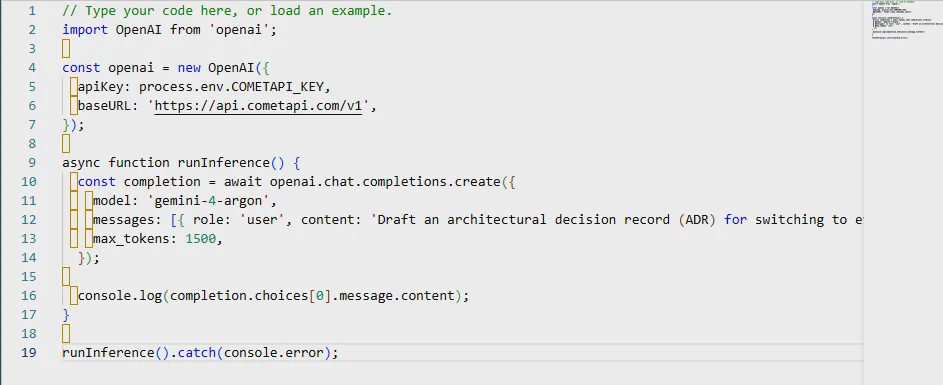
3. Streaming Responses for Real-Time UI Feedback
Because Gemini 4 Argon spends time analyzing complex tasks, waiting for non-streamed responses can lead to target connection timeouts. Streaming allows your application to consume token chunks as they are generated.
Python Streaming Implementation
stream = client.chat.completions.create(
    model="gemini-4-argon",
    messages=[{"role": "user", "content": "Write a Python script for real-time log parsing."}],
    stream=True,
)

for chunk in stream:
    if chunk.choices and chunk.choices[0].delta.content:
        print(chunk.choices[0].delta.content, end="", flush=True)
print("\n")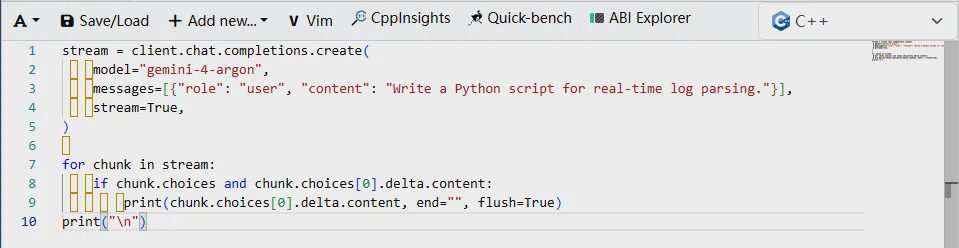
SDK Feature Support Comparison
Capability | Standard OpenAI Endpoint | CometAPI ( | Production Recommendation |
|---|---|---|---|
Chat Completions | Supported | Supported | Direct replacement |
Streaming ( | Supported | Supported | Essential for UX |
Function Calling | Native Schema | Supported | Validate tool JSON prior |
Thinking Level Tuning |
| Native Interactions API | Use lower thinking for speed |
Tip: If your API gateway logs high latency metrics, ensure client application logic implements streaming rather than waiting for synchronous payloads.
What Worked vs. What Failed vs. Production Changes
What Worked: Transitioning from OpenAI models to
gemini-4-argonrequired changing only two lines of code (base_urlandmodel).What Failed: Unhandled stream interruptions caused UI freezes when socket connections timed out.
Production Changes: Added connection keep-alive timeout guards around long streams.
In Part 3, we will explore benchmark performance, enterprise reasoning tests, and deep cybersecurity evaluation metrics.