When Google DeepMind introduced Gemini 4 Argon, the most notable engineering change wasn't just raw reasoning score spikes—it was the implementation of a unified 1M-token context budget spanning input, internal reasoning (thinking), and output generation.
At our startup, we evaluate models by running clean, minimal tests before pushing them into automated pipelines. In this four-part series, I am documenting our hands-on evaluation of Gemini 4 Argon using CometAPI’s OpenAI-compatible router.
1. Context Architecture: The 1M Unified Token Budget
Unlike legacy models where context and generation parameters exist in isolated buckets, Gemini 4 Argon operates under a single envelope:

+-------------------------------------------------------------------+
|                  UNIFIED 1M CONTEXT BUDGET                        |
+-----------------------------------+-------------------------------+
| Input Tokens + Thinking Tokens    | Max Generation Output Tokens  |
| (Prompt, Files, Search Context)   | (Code, Long-Decode Reports)   |
+-----------------------------------+-------------------------------+
If your long-horizon agent spends tokens reasoning through a complex software refactor, you only have tokens remaining for the generated code output.
2. Environment Setup & Key Protection
Before sending your first request, store your authentication tokens in local environment variables. Never hardcode secrets into application repositories.
Environment Setup Matrix
Operating System | Command Sequence | Security Rule |
|---|---|---|
Linux / macOS (Bash/Zsh) |
| Add to |
Windows (PowerShell) |
| Use temporary session scope |
3. Your First API Request via cURL
To test the endpoint without SDK dependencies, send a raw HTTP request directly to CometAPI using cURL:
curl https://api.cometapi.com/v1/chat/completions \
  -H "Authorization: Bearer $COMETAPI_KEY" \
  -H "Content-Type: application/json" \
  -d '{
    "model": "gemini-4-argon",
    "messages": [
      {
        "role": "user",
        "content": "Explain three high-impact strategies for optimizing low-latency Python API gateways."
      }
    ],
    "max_tokens": 1000
  }'
Parsing the Response Header & Body
A successful response returns standard status code 200 wrapped in an OpenAI-compatible JSON structure:
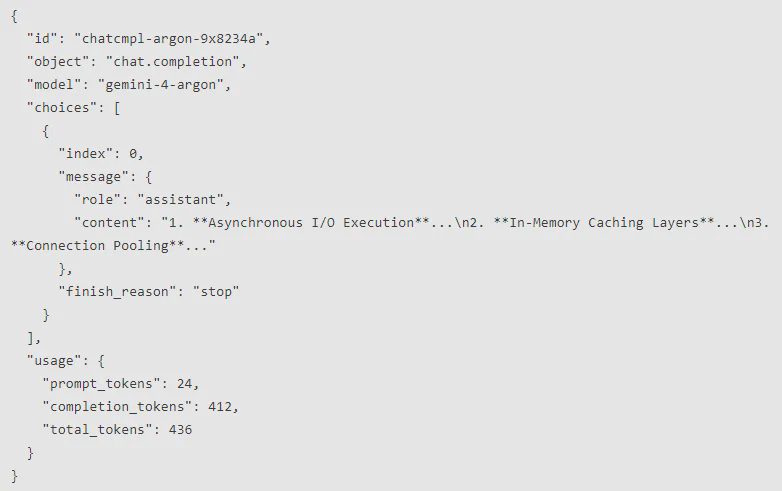
{
  "id": "chatcmpl-argon-9x8234a",
  "object": "chat.completion",
  "model": "gemini-4-argon",
  "choices": [
    {
      "index": 0,
      "message": {
        "role": "assistant",
        "content": "1. **Asynchronous I/O Execution**...\n2. **In-Memory Caching Layers**...\n3. **Connection Pooling**..."
      },
      "finish_reason": "stop"
    }
  ],
  "usage": {
    "prompt_tokens": 24,
    "completion_tokens": 412,
    "total_tokens": 436
  }
}
Initial Assumption:We assumed Gemini 4 Argon required specialized Google Cloud service accounts.Actual Result: CometAPI allows immediate deployment via standardBearertoken headers.
What Worked vs. What Failed vs. Production Changes
What Worked: Single-line endpoint adaptation worked seamlessly using standard headers.
What Failed: Omitting explicit
max_tokenscaused long reasoning loops on ambiguous prompts.Production Changes: Always enforce upper bounds on token counts during initial integration tests.
In Part 2, we will cover Python and JavaScript SDK integrations, streaming responses, and token budget management.